
 See Our Latest Article on HelloNation
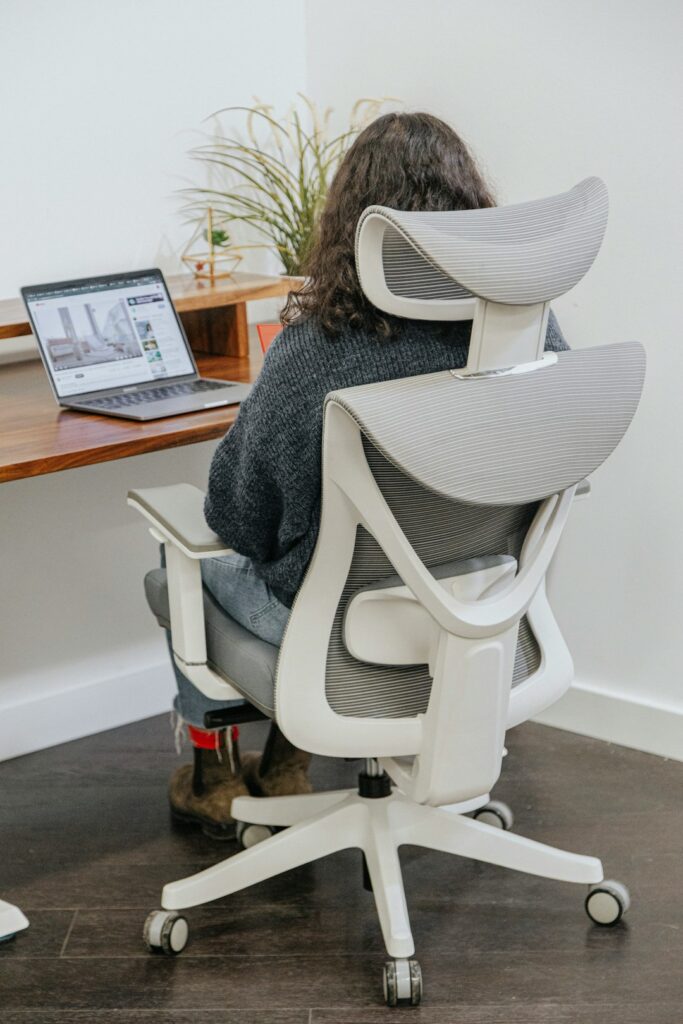
Why ergonomics matters for students
Ergonomics is the practice of arranging tasks, furniture, screens, and equipment so the body can work comfortably and efficiently. For children and students, good ergonomics can reduce unnecessary strain during homework, reading, drawing, gaming, and online learning.
Ergonomics does not mean a child must sit perfectly still or maintain one rigid posture. Children need to move, change positions, and take regular breaks. The goal is to make everyday activities easier on the neck, shoulders, back, wrists, eyes, and hips.
In households throughout Victor, homework may take place at a dining table, kitchen counter, bedroom desk, or shared family workstation. The setup does not need to be expensive. Small adjustments to height, lighting, screen placement, and movement often make the greatest difference.
How should a child sit at a desk?
A child should sit with the back supported, shoulders relaxed, elbows close to the body, and feet resting on the floor or a stable footrest. The knees should be bent comfortably, and the work surface should allow the child to write or type without lifting the shoulders.
A practical seated setup includes:
- The head balanced over the shoulders rather than pushed forward.
- The lower back supported by the chair or a small cushion.
- Both feet supported instead of dangling.
- Elbows resting near the sides and bent comfortably.
- Wrists kept mostly straight while writing or typing.
- Frequently used items placed close enough to avoid repeated reaching.
Many adult-sized chairs are too deep or too tall for younger children. If a child slides forward, rounds the back, or rests the chest on the desk, the chair may not fit properly. A sturdy footstool can provide support when the feet do not reach the floor.
A “good posture” position should not be treated as a punishment or a test. Even a well-adjusted position becomes uncomfortable if maintained for too long. Encourage children to stand, stretch, walk, or change activities regularly.
Where should a laptop or monitor be placed?
The top portion of a screen should generally be near the child’s eye level, with the screen positioned directly in front of the body. This helps limit repeated bending of the neck or turning of the head.
Laptops create a common compromise: raising the screen improves neck position but may place the keyboard too high. If a laptop is used for extended schoolwork, raising the screen with a stable support and using a separate keyboard can make the arrangement more comfortable. If that is not practical, alternate between keyboard work, reading, handwriting, and movement rather than remaining in one bent-forward position for a long period.
The screen should be far enough away that the child can read without leaning forward. Text may need to be enlarged instead of bringing the face closer. Glare from windows or overhead lighting can encourage squinting and awkward positioning, so the screen should be placed where reflections are limited.
For younger children, a designated work area is usually more supportive than completing computer work on a bed, couch, floor, or soft chair. Those locations often make it difficult to support the feet and keep the screen at a comfortable height.
How often should students take breaks?
Children should have frequent movement breaks rather than waiting until discomfort appears. A short break every 20 to 30 minutes can be useful during concentrated screen or writing work, especially for younger students.
A break may include:
- Standing to get water.
- Walking around the room.
- Looking across the room or out a window.
- Rolling the shoulders gently.
- Stretching the hands and fingers.
- Switching from screen work to handwriting or reading.
- Going outdoors when weather and supervision allow.
During darker winter afternoons, indoor homework can extend for longer periods because children may have less opportunity for outdoor play after school. A timer, music cue, or natural transition between assignments can remind students to move without interrupting the entire study routine.
Movement breaks should not be limited to stretching. Walking, changing chairs, standing at a counter for a short task, and active play all reduce the effects of prolonged sitting.
What makes a backpack safer and more comfortable?
A backpack should fit the child’s body and be worn with both shoulder straps. Carrying it on one shoulder can make the body lean or rotate to compensate for the uneven load.
The pack should sit fairly close to the back, with the bottom near the waist rather than hanging far below it. A chest or waist strap may help keep the load closer to the body, particularly when walking longer distances or carrying equipment for activities.
To improve comfort:
- Carry only the books, devices, clothing, and supplies needed that day.
- Place heavier items close to the back.
- Use compartments to keep the contents from shifting.
- Tighten both shoulder straps evenly.
- Check the backpack periodically as the child grows.
- Teach the child to bend the knees when lifting the pack from the floor.

A backpack that causes persistent shoulder grooves, numbness, tingling, significant leaning, or pain should be reassessed. The issue may be the fit, the load, the way it is lifted, or another condition unrelated to the backpack.
Are tablets and phones a problem for posture?
Tablets and phones are not automatically harmful, but prolonged use at a low angle can encourage the head and neck to bend forward. This may lead to soreness across the neck, upper back, and shoulders.
For longer reading or school assignments, place the tablet on a stable support rather than holding it in the lap. Encourage children to bring the device up toward a comfortable viewing height while keeping the shoulders relaxed. Phones should be used briefly for school tasks when possible, since small screens often lead to squinting and leaning closer.
Children should avoid holding a phone between the shoulder and ear. For video calls, the device can be supported on a stand or stable surface so the child does not need to grip it continuously.
How can handwriting and drawing be made easier?
The paper should be positioned directly in front of the child or slightly angled to match the writing hand. A desk that is too high can cause the shoulders to rise, while a desk that is too low may encourage rounding through the back.
Helpful habits include:
- Keeping the forearm supported lightly on the work surface.
- Holding the pencil with a relaxed grip.
- Moving the paper instead of twisting the wrist repeatedly.
- Taking short hand and finger breaks.
- Using a slanted surface when reading or drawing for long periods.
Neat handwriting should not require excessive pressure. If a child regularly complains of hand fatigue, cramping, or pain, observe the writing grip, desk height, pencil size, and amount of written work.
When should parents seek medical guidance?
Occasional tiredness after a long school day is common. Persistent or worsening symptoms deserve more attention, especially if discomfort interferes with sleep, sports, schoolwork, or ordinary play.
Medical guidance is appropriate for symptoms such as:
- Pain that continues after changing the workstation and reducing the load.
- Numbness, tingling, weakness, or loss of coordination.
- Headaches associated with reading or screen use.
- Pain that occurs even when the child is not studying or carrying a backpack.
- A noticeable change in walking, balance, or posture.
- Pain following a fall, collision, or other injury.
Ergonomic adjustments can reduce avoidable strain, but they should not be used to explain away ongoing symptoms. A child’s daily environment, activity level, vision, sleep, footwear, sports participation, and general health may all affect comfort.